Quick Start
Integrate your first referral program in under 15 minutes. This guide covers installation, user initialization, referral tracking, and reward delivery.
What You'll Build
By the end of this guide, your app will have a complete referral flow:
Install the SDK
Install the Growth Rail SDK using your preferred package manager. Choose the package that matches your framework.
npm install @growth-rail/react @growth-rail/core
# or
yarn add @growth-rail/react @growth-rail/core
# or
pnpm add @growth-rail/react @growth-rail/coreInitialize the SDK
Add the Growth Rail provider at the root of your application. Pass your Project Secret as the projectSecretKey prop.
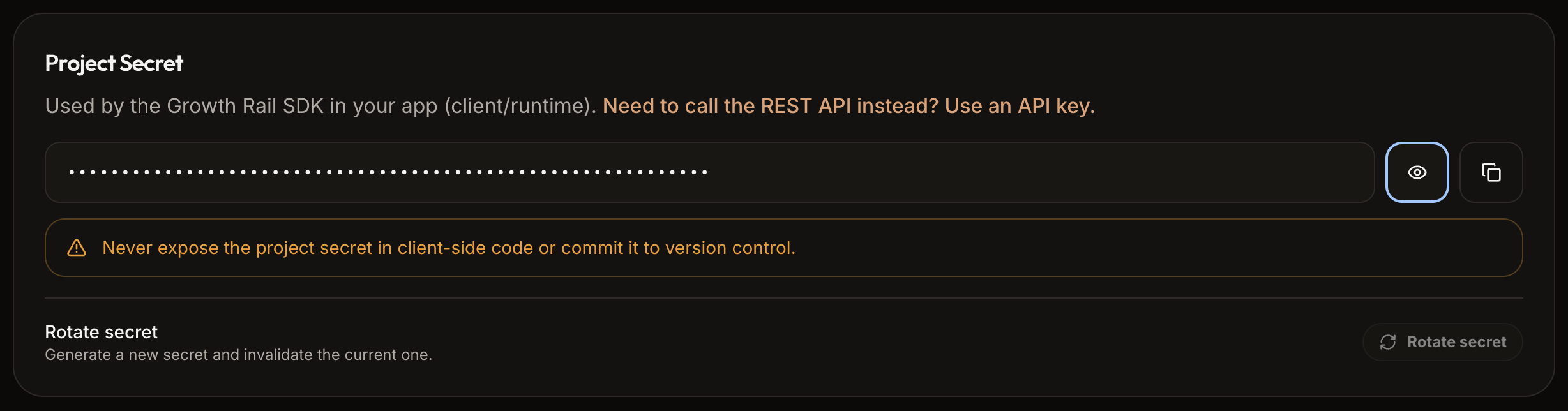
// main.tsx or App.tsx
import { GrowthRailProvider } from '@growth-rail/react';

function App() {
  const currentUser = useCurrentUser(); // your auth hook

  return (
    <GrowthRailProvider
      projectSecretKey={import.meta.env.VITE_GROWTH_RAIL_SECRET}
      userId={currentUser?.id}   // pass once user is authenticated
      debug={import.meta.env.DEV}
    >
      <YourApp />
    </GrowthRailProvider>
  );
}Identify users after login
Call initAppUser() once the user is authenticated. This creates the user in Growth Rail (if they don't exist), generates a unique referral code, and returns a shareable referral link.
import { useGrowthRail } from '@growth-rail/react';

export function DashboardPage() {
  const { initAppUser } = useGrowthRail();
  const { user } = useAuth();

  useEffect(() => {
    if (user?.id) initAppUser(user.id);
  }, [user?.id]);

  return <div>Welcome to your dashboard</div>;
}Track reward events
When a referred user completes a qualifying action (signup, purchase, etc.), track the event via the backend REST API (POST /api/v1/sdk/track-reward-event) or automatically via native Stripe & RevenueCat integrations.
curl -X POST https://api.growthrail.dev/api/v1/sdk/track-reward-event \
  -H "x-project-secret-key: sk_live_xxx" \
  -H "Content-Type: application/json" \
  -d '{
    "newUserId": "user_123",
    "referralTrackingId": "tr_789",
    "eventName": "user_signup",
    "environment": "Production"
}'Configure a webhook
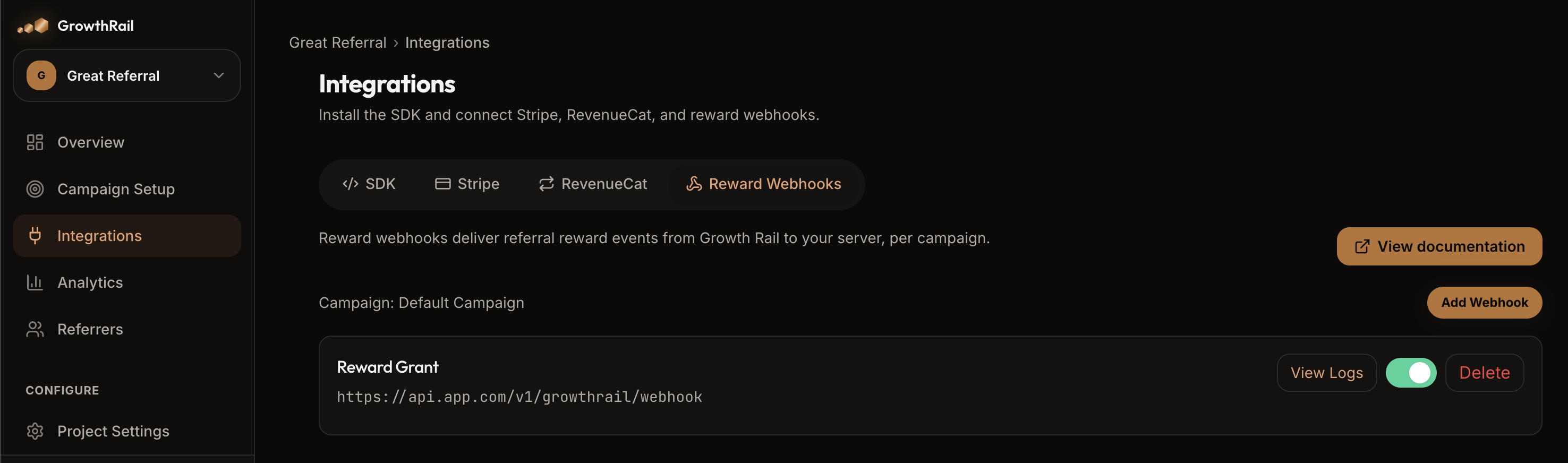
In the Growth Rail dashboard, go to Integrations → Reward Webhooks and add your backend URL. When a reward is triggered, Growth Rail POSTs a signed JSON payload to your endpoint.
Bonus: Show the Referral UI
The SDK automatically renders a floating invite button and sharing modal based on your Campaign Setup settings — no extra code needed. To trigger the modal manually:
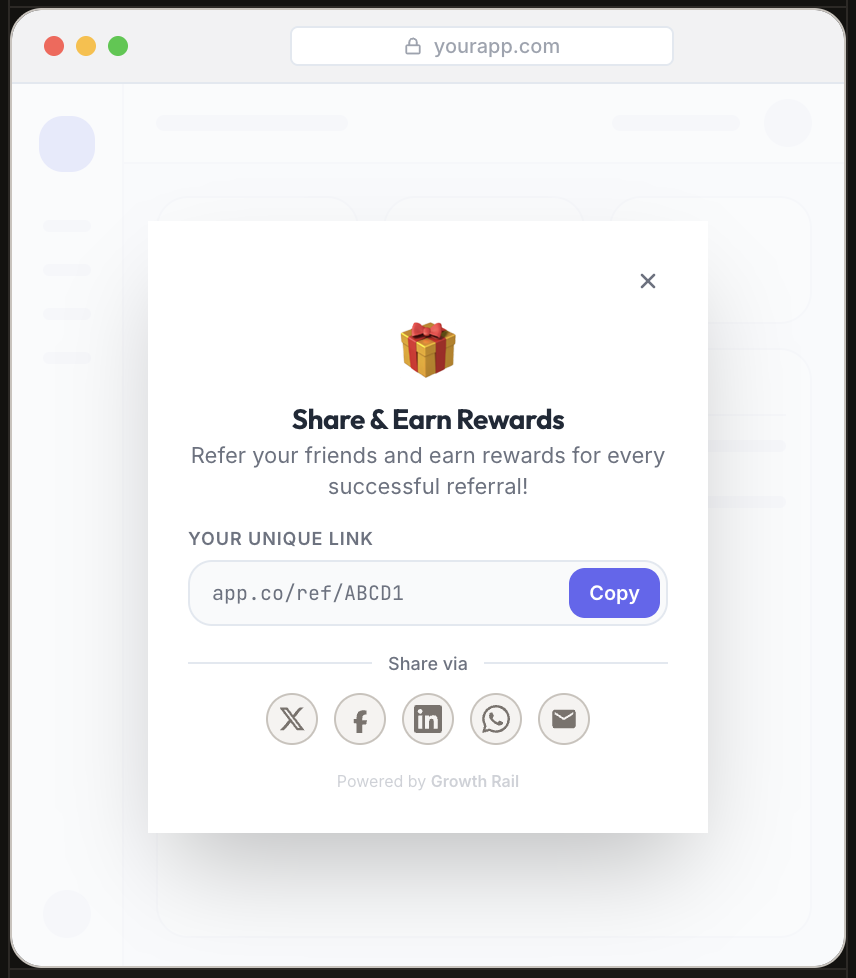
const { showReferralDashboard, showFloatingButton } = useGrowthRail();

// Floating button (auto-shown from Campaign settings, or trigger manually)
showFloatingButton({ position: 'bottom-right', displayMode: 'floating' });

// Open the sharing modal from your own button
<button onClick={() => showReferralDashboard()}>Invite Friends</button>
What's Next
Project Setup
Configure redirect links, project secrets, and multi-environment strategies.
Referral Flow
Deep-dive into the full referral lifecycle from link creation to reward delivery.
Reward Logic
Understand trigger events, eligibility checks, and webhook routing per rule.