Referral Flow
Understand the complete lifecycle of a referral — from generating a shareable link to delivering a reward to the referrer's backend.
Overview
A Growth Rail referral has three participants and four stages:
Stage 1 — Generate the Referral Link
Every user gets a unique 6-character alphanumeric referral code (e.g. ABC123). When you call initAppUser(), Growth Rail automatically creates this code and returns a ready-to-share referral link.
import { useGrowthRail } from '@growth-rail/react';

function InvitePage() {
  const { initAppUser } = useGrowthRail();
  const [referralLink, setReferralLink] = useState('');

  useEffect(() => {
    initAppUser(currentUserId).then(user => setReferralLink(user.referralLink));
  }, []);

  return (
    <div>
      <input readOnly value={referralLink} />
      <button onClick={() => navigator.clipboard.writeText(referralLink)}>
        Copy Link
      </button>
    </div>
  );
}
The link format is controlled by your project's Referral Redirect Link setting:
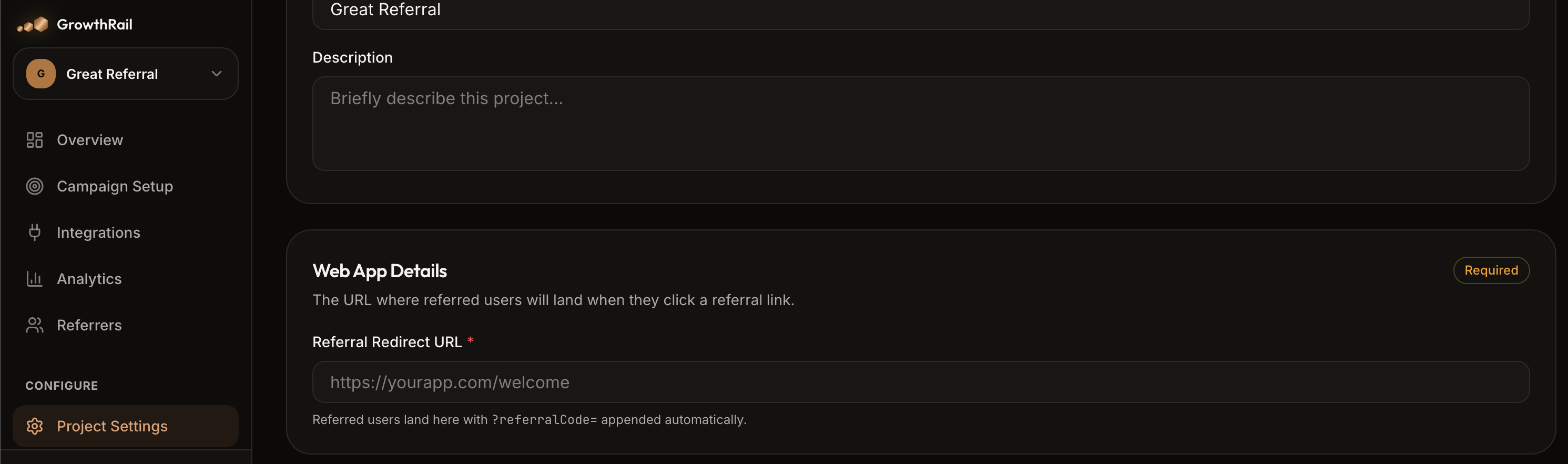
{referralRedirectLink}?referralCode={code}
{referralRedirectLink}?referralCode={code}&rewardEventName={eventName}| Parameter | Required | Description |
|---|---|---|
referralCode | Yes | The referrer's unique code. The SDK reads this automatically on page load. |
rewardEventName | No | Pre-assigns the qualifying event for this referral. When set, only a trackRewardEvent('{eventName}') call with the matching name can claim the reward. Omit to allow any reward event to claim it. |
Stage 2 — The Referee Clicks the Link
When a new user (the referee) visits your app via a referral link, the SDK detects the referralCode query parameter automatically during initialization and calls trackReferral() behind the scenes.
This creates a Referral Tracking Item with status Pending and persists two cookies for later attribution. No code needed on your side — the SDK handles it automatically on every page load.
Called automatically by the SDK when a referral code is detected in the URL.
| Response Field | Description |
|---|---|
referralTrackingId | UUID of the pending tracking record. Saved to the gr_tracked_referral cookie and used when trackRewardEvent() is called. |
promotionalText | Promotional text to display to the referred user (set in Campaign settings). Used by the new-user banner. Empty string if not configured. |
gr_ref_code (the referral code) and gr_tracked_referral (the tracking ID). This means a user can close the browser, return days later, complete signup, and the referral attribution still works.Stage 3 — The Referee Completes the Qualifying Action
After the referee signs up (or completes any other qualifying event you configured), track the event via the backend REST API (POST /api/v1/sdk/track-reward-event) or let native Stripe & RevenueCat integrations sync automatically. This triggers the reward evaluation.
// Request (sent from server with x-project-secret-key header)
{
  "newUserId": "user_bob",
  "referralTrackingId": "3fa85f64-5717-4562-b3fc-2c963f66afa6",
  "eventName": "user_signup",
  "environment": "Production"
}

// Response
{
  "rewardClaimed": true
}
What happens under the hood
referralTrackingIdPending (not already completed)Completed and marks reward as claimedStage 4 — Reward Delivery via Webhook
When the reward event is validated and the tracking item moves to Completed, Growth Rail immediately fires a webhook POST to every URL configured for the campaign.
Your backend receives a signed JSON payload containing the referrer, referee, event name, and tracking ID. Use the tracking ID as an idempotency key to safely deliver the reward (credits, discount codes, premium access, etc.) to the referrer.
Referral Status Lifecycle
| Status | Meaning | Transitions To |
|---|---|---|
| Pending | Referee clicked the link; awaiting the qualifying action. | Completed, Failed |
| Completed | Qualifying action done; reward webhook fired. Terminal state. | — |
| Failed | Eligibility check failed (duplicate, expired, etc.). | — |
The New User Banner
When a referee lands on your app via a referral link, the SDK can automatically display a personalized promotional banner (e.g. "You were invited by Alice — sign up for a special welcome bonus!").
Configure the banner text and position in the Campaign settings. The SDK renders it automatically when referralCode is detected in the URL. No extra code needed.
| Position | Description |
|---|---|
top-center | Full-width banner at the top of the viewport |
bottom-center | Full-width banner at the bottom |
top-left | Toast notification in the top-left corner |
top-right | Toast notification in the top-right corner |
bottom-left | Toast notification in the bottom-left corner |
bottom-right | Toast notification in the bottom-right corner |
Mobile Deep Linking
For mobile apps, Growth Rail supports deferred deep linking. When a user clicks a referral link but doesn't have the app installed:
- The user is redirected to the App Store or Play Store
- After installing, the user opens the app
- The SDK uses probabilistic device fingerprint matching to connect the original click to the install
- The referral is attributed and tracking continues normally
The matching considers device characteristics (OS, screen size, timezone, locale, IP address) within a 2-hour attribution window.